Moto X3M Unblocked
Moto X3M Unblocked is a playable 22-level edition of MadPuffers’ trials bike game, hosted by Y8. On a restricted network you can ride if its rules allow SmartGame and the Y8 player to load.
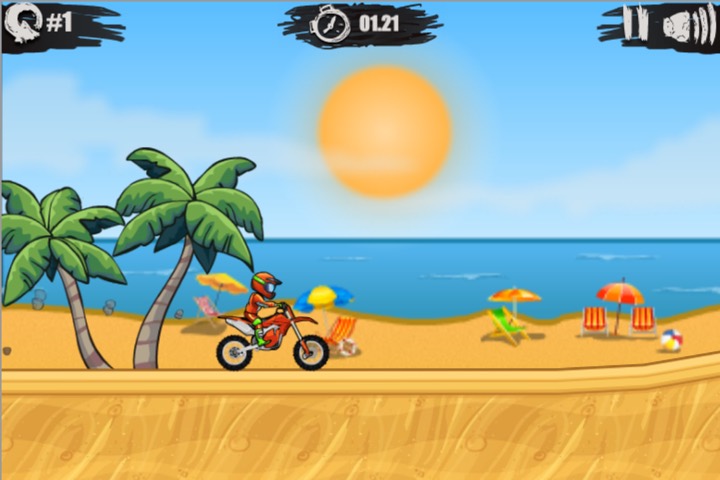
22 tracks · arrow keys
Starting the bike
Why Moto X3M gets blocked
A school or workplace can filter game sites by category. The address bar shows SmartGame, but pressing Play on Moto X3M Unblocked asks your browser to load a second site inside the player. A filter can allow the first request and deny the second. That explains how you can read these instructions and still see an empty frame.
A message naming your school, employer or filtering service usually means the network has made a policy decision. A loading screen on its own is less conclusive. The game files may still be arriving, or a browser setting may have stopped the frame.
Think of the trip from the address bar to the starting line as two separate requests. The first brings you the page, including this text and the Play button. The next opens Y8 inside a rectangular frame and lets the browser fetch the course, artwork and game code. Seeing a cover image tells you that the first request worked. It says very little about whether the second one is allowed.
A domain rule applies to the host serving a request. For example, a school may allow the SmartGame page during a club session while its recreation filter still covers the Y8 player. A keyword rule works differently. Depending on the filtering software and what it can inspect, a word in an address or page category can place a site on a review list. Neither kind of rule requires anyone to block an individual bike, jump or level.
That distinction matters when reporting Moto X3M Unblocked. If a notice appears before you can read the page, quote the address and wording from that notice. If you can read this paragraph but see a notice only inside the player, say so. A network administrator can investigate the right host with that detail. Only the administrator can confirm which rule actually matched.
How to play it on a restricted network
Start with permission. At school, a teacher may have set aside a break or a club period for games. At work, the policy may be different on a guest network and a managed device. Ask the person responsible whether recreational browser games are allowed in that setting. If they are, show them the page address and the name of the player, Y8. They can check the approved configuration without guessing which of the two requests failed.
Watch what happens after one click. On Moto X3M Unblocked the first Play button opens the frame. The distributor may then show its own title screen, a loading percentage or an advertisement. If there is a countdown, wait for it to finish and use its in-player close or continue control when offered. A frame that stays entirely white with no text, countdown or change is a different symptom. Record which screen you reached and roughly how long you waited.
Check the browser interaction on a permitted connection. Use the current browser supplied for the device and reload the page once. Press Play again, then click inside the visible track before using an arrow key. If the page scrolls and the bike stands still, the browser has given the page keyboard focus. If the frame shows a policy notice instead, keep that message for the administrator. There is no reason to install anything to test either case.
Compare the same device on a connection where you have permission to play, such as your own home network. Open Moto X3M Unblocked in the same browser both times. If the track opens there, that narrows the problem to the original environment. If both tests stop at the same screen, use Contact and include your browser, the approximate time and the last thing the player displayed. A screenshot of the player is enough. Crop out account names and other open tabs.
Same game, no download
This is MadPuffers’ original trials bike game in two browser builds. The Y8 edition on this page has 22 tracks. The GameMonetize edition on our homepage has 25. If you want the full 25-course run, choose the original game card below.
Both editions start on the beach. Use the up arrow for throttle, ease off before a steep landing and tilt to meet the slope. Press Play and the run starts right away — no account needed. Each host keeps its own progress, so arriving from the homepage can put you back at the first course.
The number on a level tile is a position in that edition's sequence. To compare the Moto X3M Unblocked player with the homepage game, we matched the complete map data loaded by their players. Thirteen tracks matched exactly. The first three line up in order, but the fourth track in the shorter edition jumps straight to the course numbered ten on the homepage. You can use the pairs below when a walkthrough looks familiar but the number in its title seems wrong.
Read each pair as Y8 level to homepage level. The exact matches are 1 to 1, 2 to 2, 3 to 3, 4 to 10, 5 to 7, 6 to 24, 7 to 5, 8 to 12, 9 to 4, 10 to 11, 12 to 9, 15 to 20 and 18 to 25. For example, someone stuck on Y8 level six can look at the line taken through homepage level twenty-four. Looking up level six from the other edition would send them to a different track.
Homepage levels 6, 8, 13 through 19, and 21 through 23 have no identical map in the Moto X3M Unblocked build. Nine Y8 tracks likewise have no exact match in the 25-course set. That is why subtracting three from a level number gives the wrong answer. An exact match here means the track data agrees. Similar scenery or a familiar obstacle alone would be too weak a basis for pairing two levels.
One reason to choose Moto X3M Unblocked is to replay the particular Y8 sequence you remember. Another is to ride on an approved network where this distributor loads. If a friend is comparing times with you, give them the edition and the level number before comparing your finish. For the thirteen matching courses, the list of pairs tells you where to start. For the others, both riders should open the same edition.
Frequently asked questions
Will Moto X3M Unblocked work on my school Wi-Fi?
It depends on the network rules. If the school blocks games, ask when and where play is permitted.
Why can I see the page but not the track?
The page and the playable files come from different hosts. Your network may allow the page and block the player.
Does Moto X3M Unblocked have all 25 levels?
This Y8 build has 22 tracks. The homepage has the 25-level GameMonetize build, and Winter has its own separate courses.
What should I do after a crash?
Press Space to return to the last checkpoint. Click inside the frame first if the browser scrolls instead.
Do I need an app or a browser extension?
No. Press Play in a supported browser on a connection that allows the game.
What should I include in a loading report?
Send the page address, your browser, and the message shown inside the frame. Mention whether the same device worked on a permitted home connection.
More Moto X3M games
 Original · Network playRide the 22-level Y8 edition on a network that allows play.
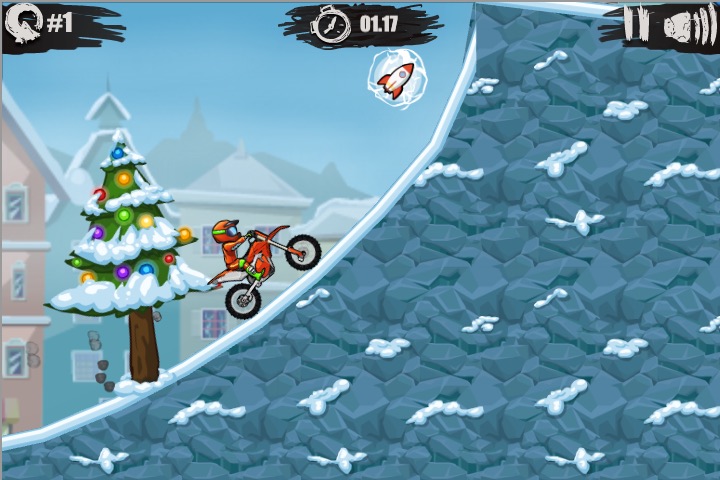 WinterRace the clock on 25 snowy holiday tracks.
 Moto X3M OriginalStart on the beach and ride all 25 original courses.
Player discussion
Player comments
Did the track load on your permitted connection? Include your browser if you report a problem.
Comments are written by players, not by us. We remove spam and abuse only.